Redesigning CRM for the age of autonomous AI agents.
The problem
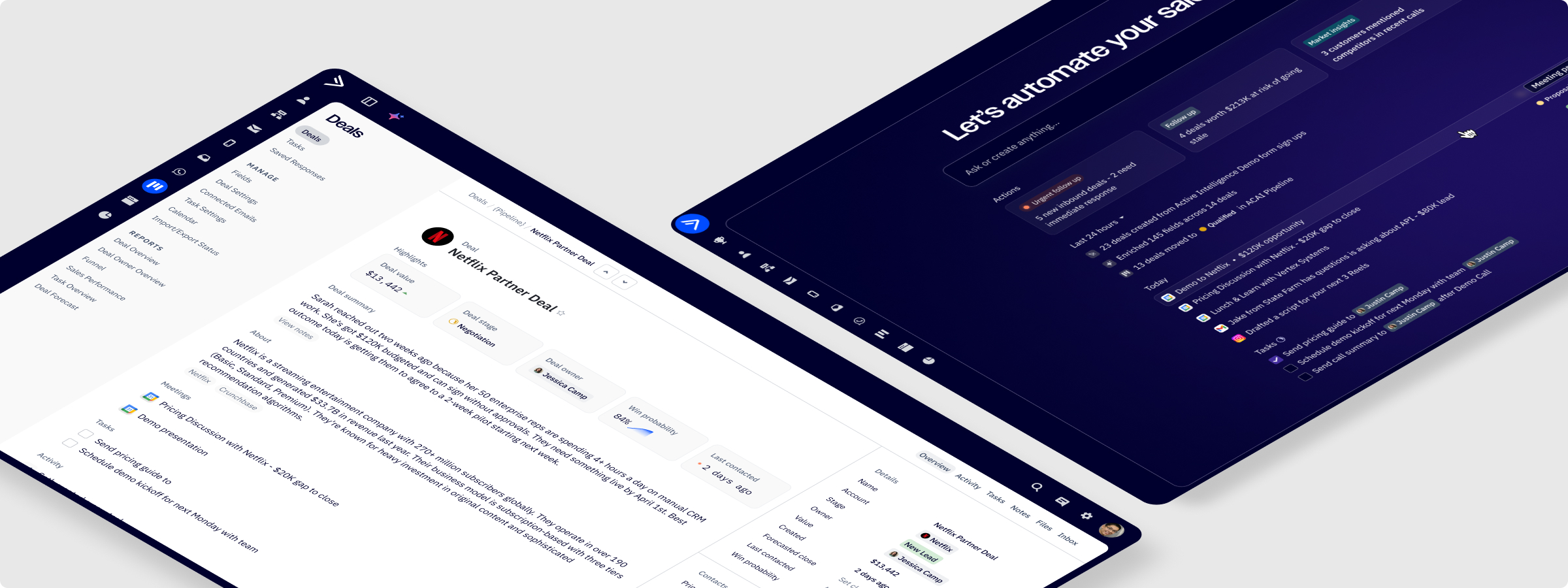
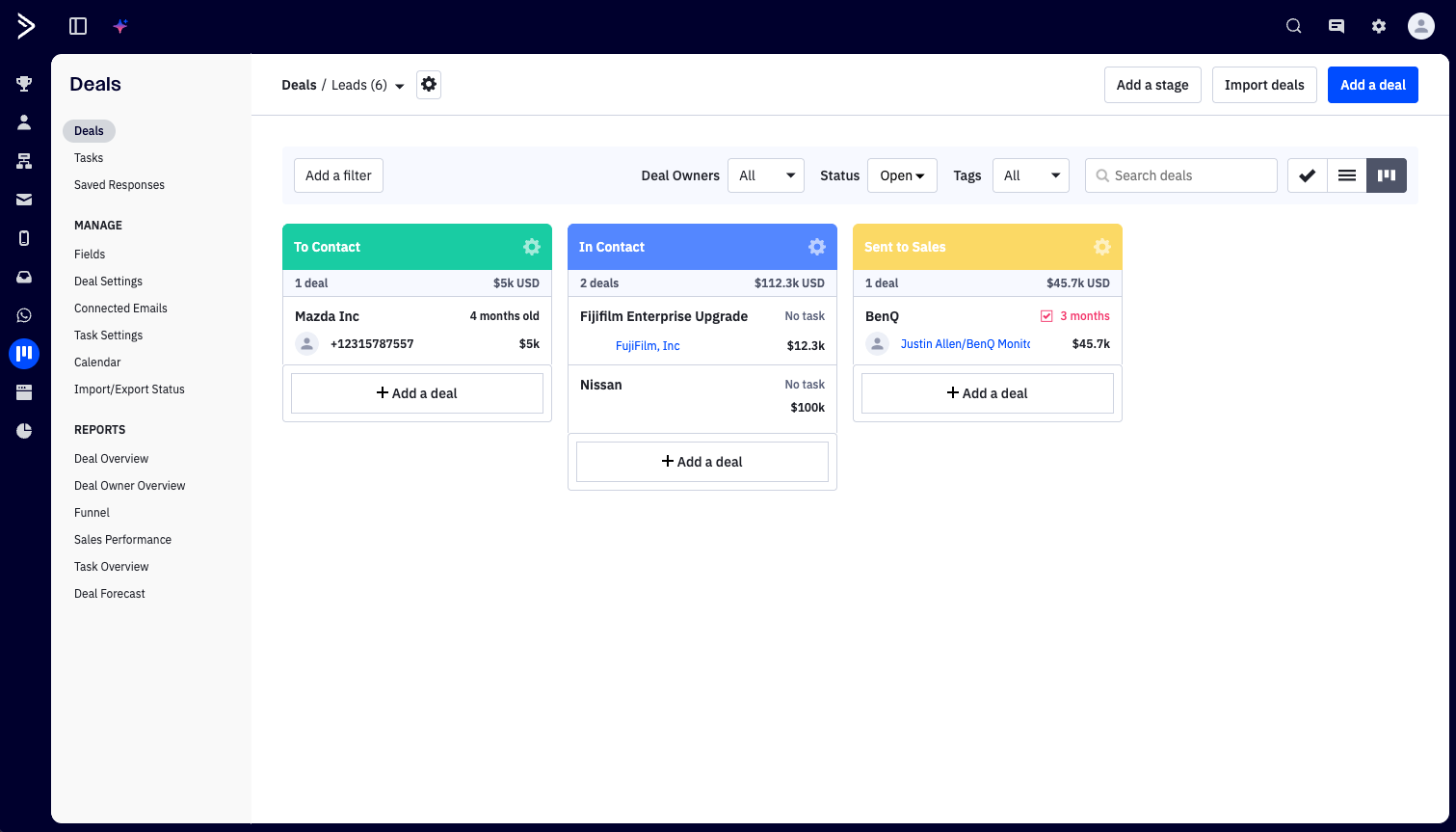
ActiveCampaign's CRM had a fundamental identity problem. It was a data capture tool; a place reps went to document work after the fact. Every note, stage update, task, and follow-up had to be entered manually. The system that was supposed to be the source of truth was, in practice, the most labor-intensive tool in a rep's day.
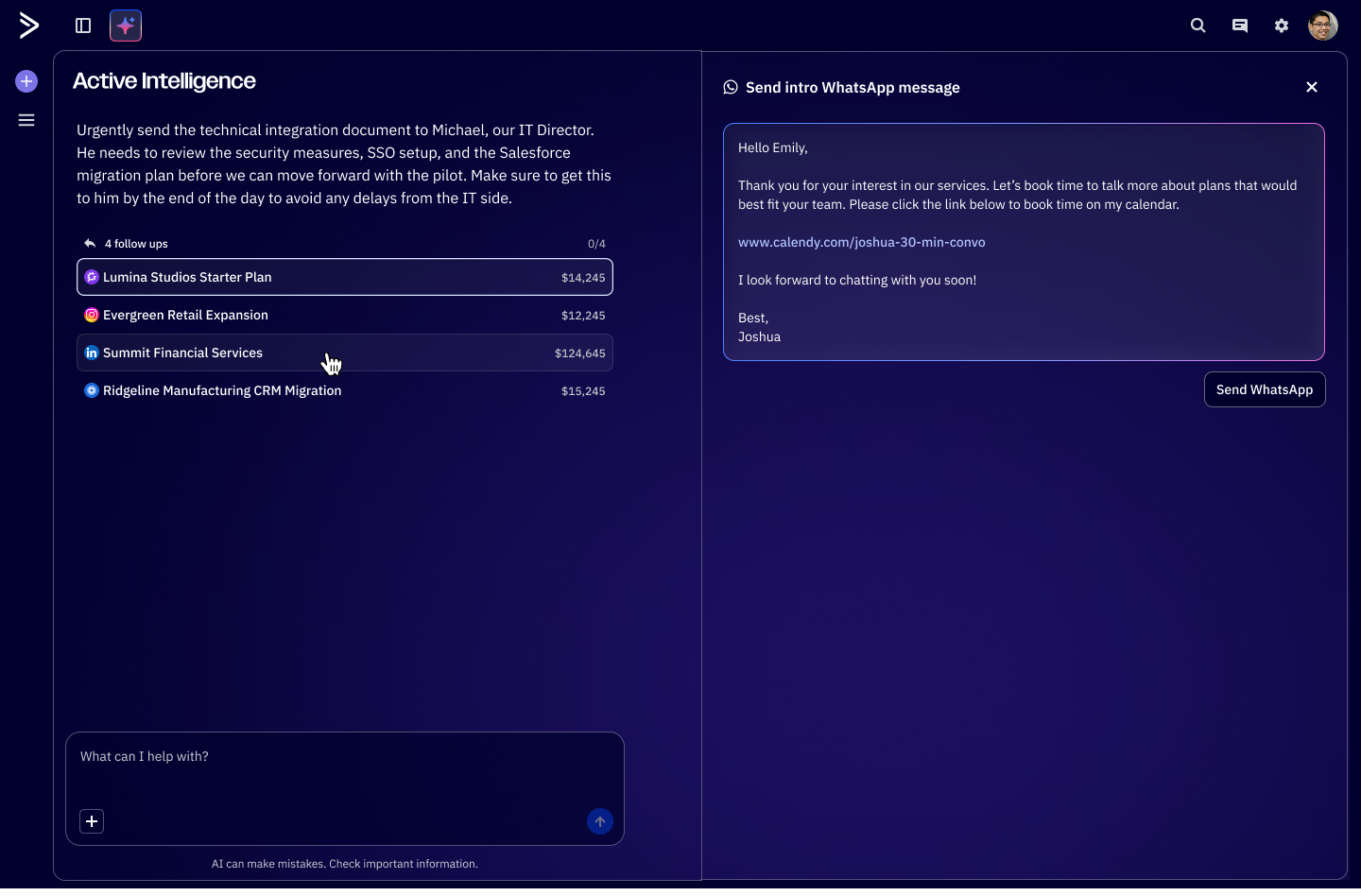
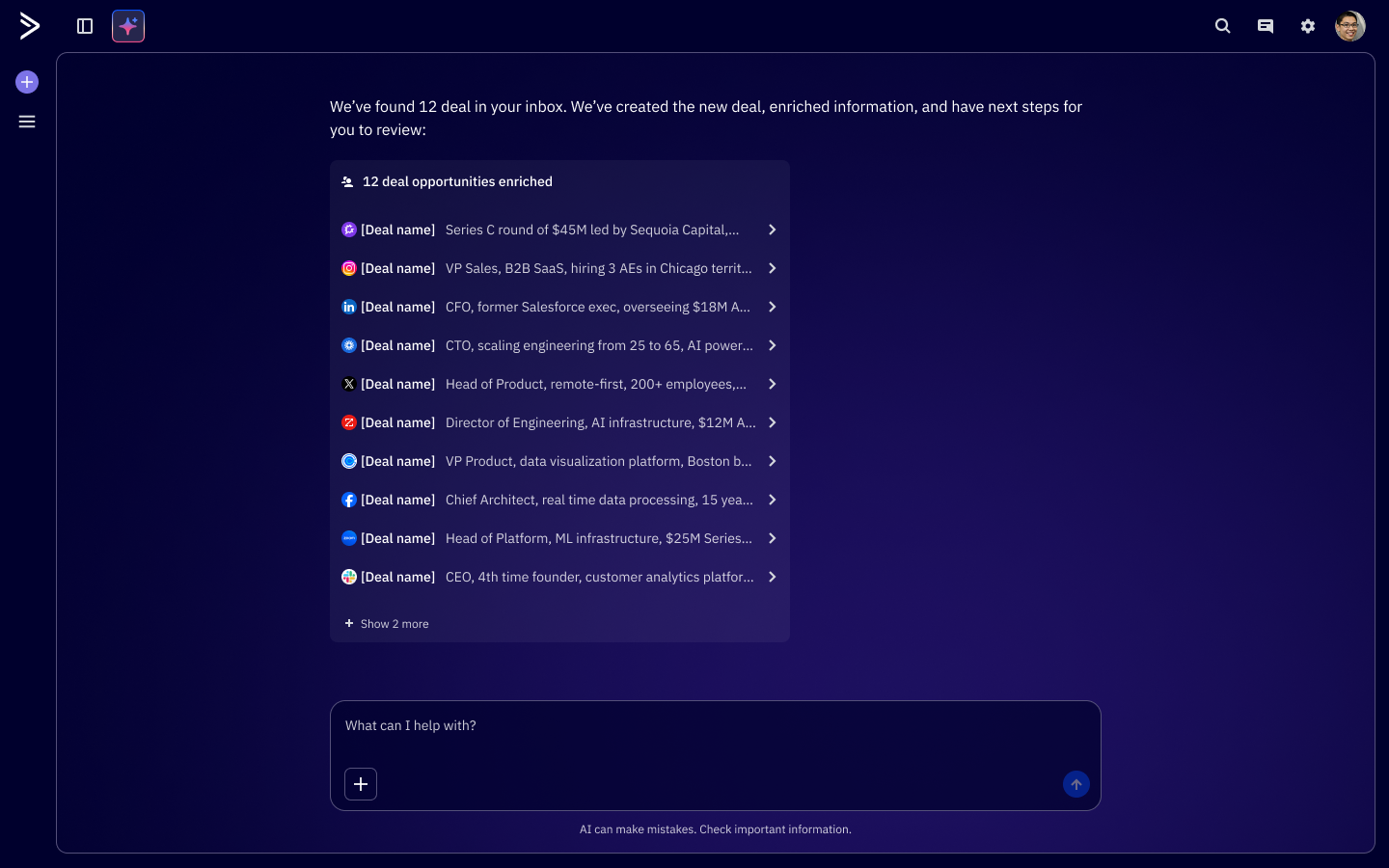
When the company committed to building Active Intelligence, its AI layer, the CRM had an opportunity to shine. The goal wasn't to bolt AI features onto a broken foundation. It was to rethink what a CRM should actually do: plan a rep's day, surface what matters, research their deals, and draft their communications. The project brief put it plainly — the system of record should become the system of action.
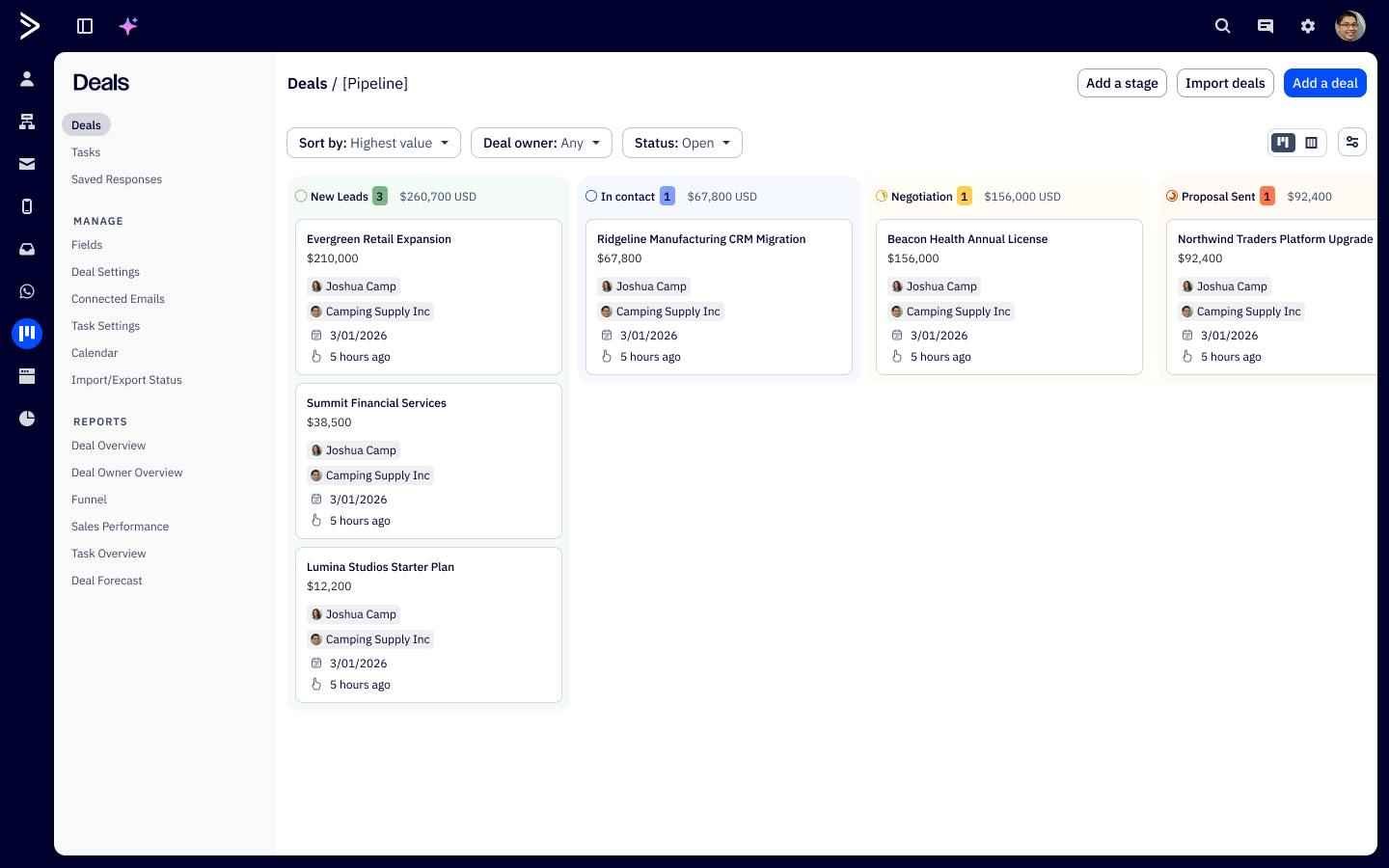
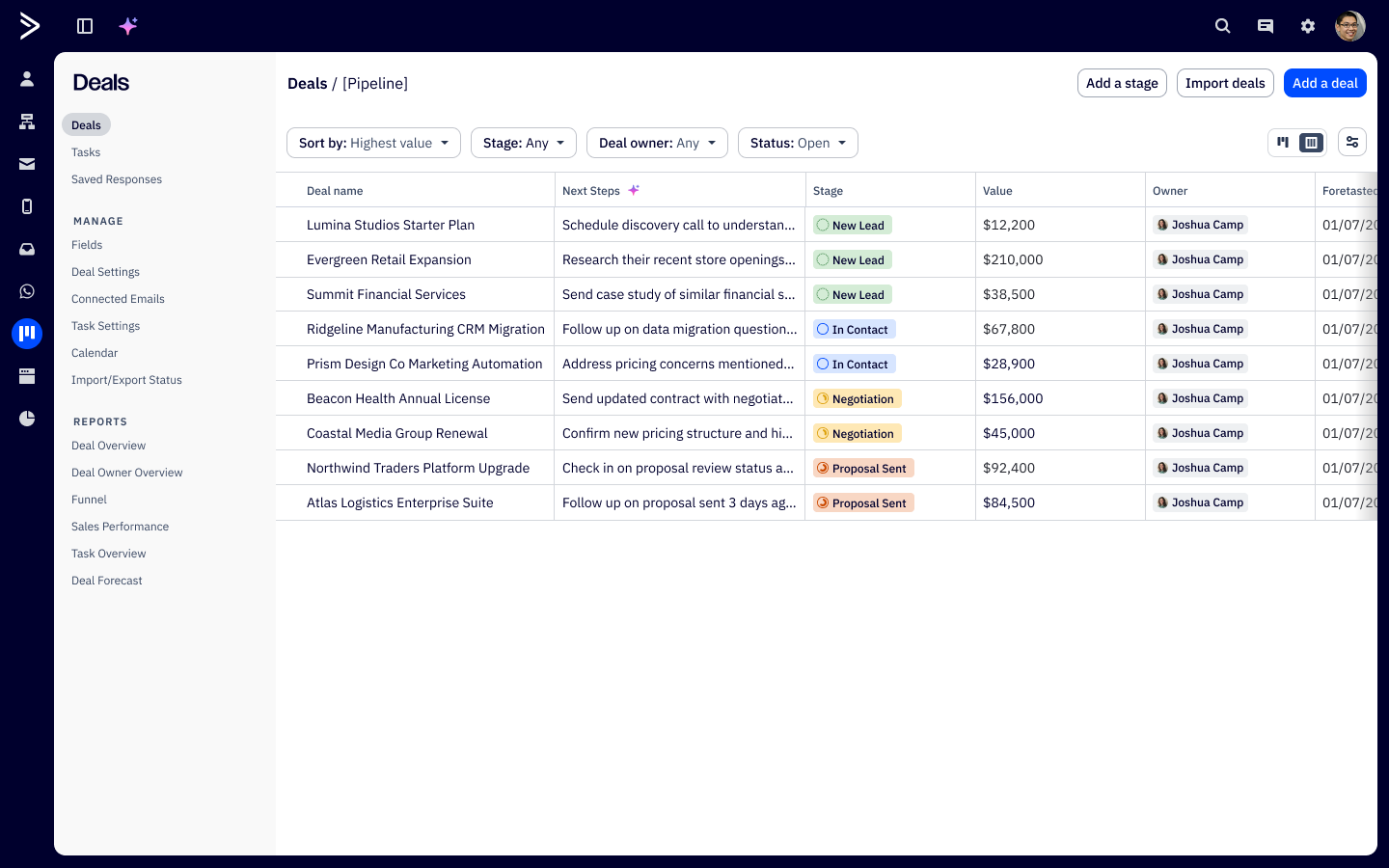
I owned the Day View, Deal Search in Active Intelligence (ACAI), and Contact/Deal Enrichment surfaces. I worked alongside another designer handling the core pipeline and list views, which had to be solid before AI could build on top of them.

Discovery & Research
We ran 25-minute moderated sessions with three sales reps across different experience levels. The focus was simple: how do you organize your day, and how do you actually use the CRM right now? We held off on showing any concepts. Understanding the real workflow had to come before proposing anything.
We asked reps to walk us through their actual morning routine, not describe an ideal one. The gap between those two things is where all the design opportunity lived. Below are some key quotes from our research:
"Deals is a total mess. I have so many overdue tasks I feel overwhelmed. Anyone can schedule a call. I use a spreadsheet to track my high-value leads."
- L1 Sales Repesenative
"Can you find deals that have tasks due today and just draft my follow-up emails?"
- Senior Account Executive
"Show me all of my deals in new leads that have an upcoming call."
- Internal Account Executive
Key Findings
01. Tasks drove the day, not strategy
Every rep described the same morning ritual: open the CRM, see which deals have tasks due, work through them in order. No smart prioritization anywhere. Deal value, close date urgency, engagement signals, none of it was weighted. One participant said he wanted something to help him "stack rank priorities." He was getting a flat list.
02. Deal quality was hard to read at a glance
Evaluating which deals deserved attention meant triangulating across deal value, close date, domain type, contact count, and enrichment data that wasn't surfaced together anywhere. One participants question, "How legit is the deal, and how big is it?" shouldn't require digging. It should be the first thing you see when you open a deal.
03. Pre-call context lived somewhere else
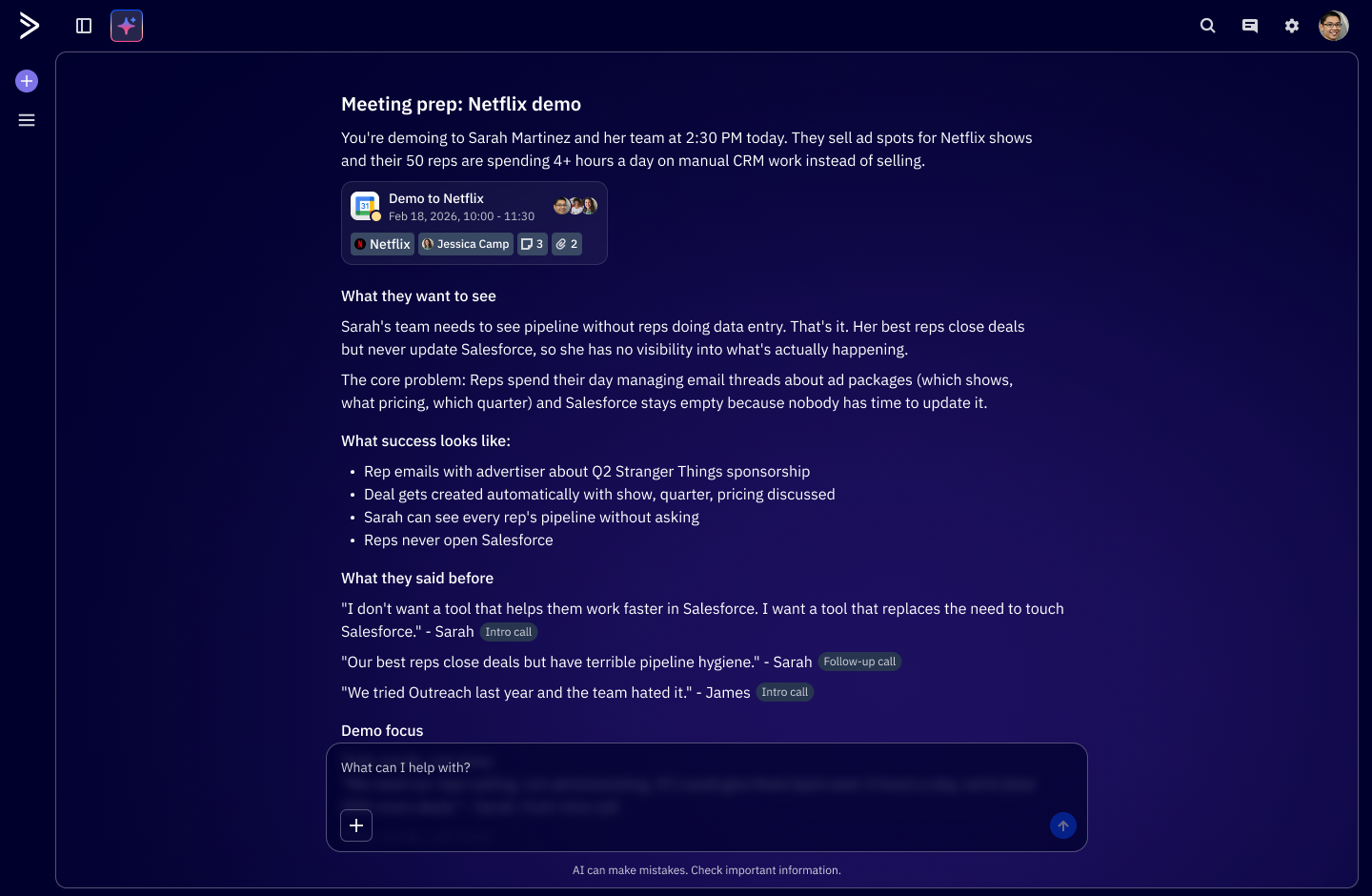
One participant used Gemini for discovery. Another tracked high-value leads in a spreadsheet. And another hunted through notes and Gong recordings manually. The CRM held all the deal data, but the intelligence about what to do with it lived in other tools and rep memory. There was a big gap between data and actual insight.
Process
The structural challenge here was that we weren't designing one thing. Day View, Deal Search in ACAI, and Contact/Deal Enrichment were three distinct surfaces, but they had to feel like expressions of the same intelligence. A rep moving between them shouldn't feel like they've switched products.
We landed on three principles early and used them as a filter throughout: context before the user asks, automation with human approval, and natural language as the primary interface.

The Solution
The structural challenge here was that we weren't designing one thing. Day View, Deal Search in ACAI, and Contact/Deal Enrichment were three distinct surfaces, but they had to feel like expressions of the same intelligence. A rep moving between them shouldn't feel like they've switched products.
We landed on three principles early and used them as a filter throughout: context before the user asks, automation with human approval, and natural language as the primary interface.
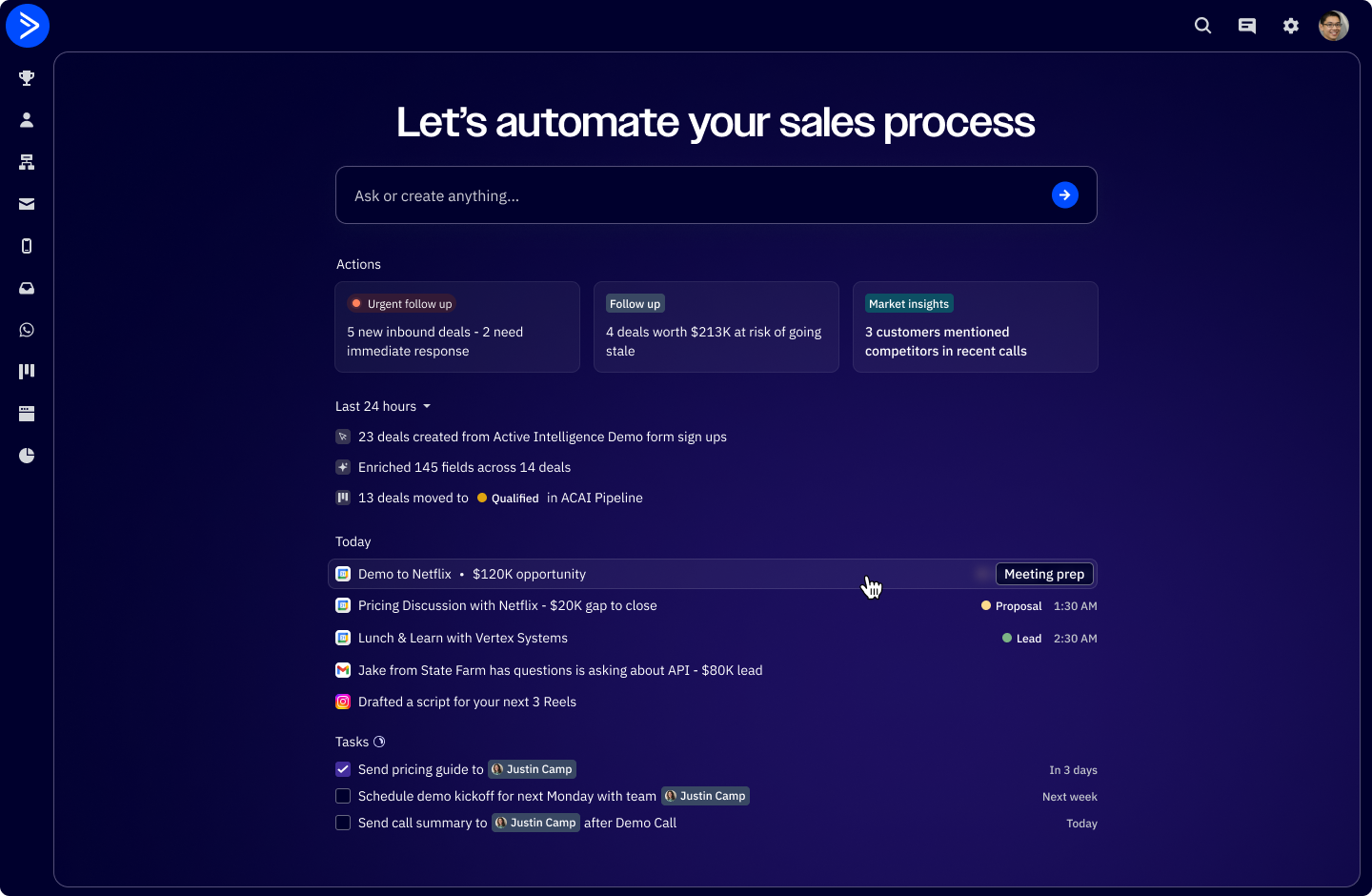
After a few iterations, feedback loops with customers, and internal reviews, here's where we landed:
Reflection
This project changed how I think about the designer's role in AI product work. The hardest problems weren't visual. They were behavioral. When should the system act on its own? How much should it explain? Where is human judgment actually irreplaceable? Those questions don't get answered through aesthetics or patterns. They get answered by understanding users well enough to know where they trust a system and where they don't yet.
The most useful thing I brought to this project wasn't a specific skill. It was keeping the rep's actual experience in focus during conversations that were mostly about what was technically possible. Research wasn't a phase we finished and moved on from. It was the thing we kept coming back to whenever we got lost.
What worked:
1. Going into discovery with no designs. Understanding the real workflow first kept us from automating the wrong things.
2. Building the prompt library from actual rep language. It became both a design spec and an alignment tool across design and engineering.
3. Treating the human-in-the-loop boundary as a design feature, not a constraint. It made the interactions better and gave reps a reason to keep using it.
4. Tight coordination with Seth on the core views. The coherence between foundation and AI layer was intentional, not accidental.
5 Going back to the same rep cohort for validation. The continuity meant much more honest, specific feedback than a fresh panel would have given us.
What I'd do differently
1. Design the customizable deal view earlier. Reps hinted at needing it in round one, but we didn't move on it until validation.
2. Build the prompt library at the start of discovery, not during design. Framing the problem in natural language from day one would have sharpened the research questions.
3. Invest earlier in an AI voice and tone guide. The language the agent uses to explain itself is a real design surface, and we treated it as secondary for too long.
4. Document the AI responsibility boundary as a formal artifact early on. It was implicit for a while, and making it explicit sooner would have reduced a lot of scope back-and-forth.
Questions that came up when presenting to leadership
Q: Why conversational search instead of a better filter UI?
A: Every rep in research described what they wanted in plain English, not filter logic. Ryan said "show me all my deals in new leads with an upcoming call." Josh said "find deals that have had multiple calls and have been around for more than a couple weeks." They were already thinking in natural language queries. Building a more powerful filter UI would've been solving for the wrong mental model. Conversational search meets reps where they already are.
Q: How did we define the human-in-the-loop boundary?
A: We mapped every AI action to an impact score — what's the cost if the agent gets this wrong? Enrichment and research ran autonomously, low stakes. Communication drafts surfaced for approval before sending. Anything touching a contact externally or moving a deal stage stayed fully manual. This wasn't just a safety decision, it was a trust-building strategy. The boundary is designed to expand as reps build confidence in the system over time.
Q: Why did we treat Day View as the differentiated surface?
A: Pipeline views and list views are table stakes — every CRM has them. A view that shows you what the AI already did while you were offline, and tells you where to focus next, that's a different category of product. It also directly addressed what every rep described: the morning ritual of opening the CRM and figuring out where to start. We made that ritual disappear.
Q: What came out of the follow-up validation session?
Returning to the same reps with concepts on January 27th surfaced something we hadn't designed for: reps wanted the deal view to be customizable per user, with the ability to hide fields or groups that weren't relevant to their segment. If the view shows information that doesn't apply to your workflow, the whole surface feels generic and noisy. Personalization of the data layer went straight into scope.